
Manage Highlights and Feeds
Share league photos, choose where posts appear, and manage engagement safely.
4 min read
Highlights and Feeds help leagues share official photos without mixing private organizer work into public pages.
- Highlights is the photo stream for one league. A public league can show published Highlights to visitors.
- Feeds is the signed-in global stream. It contains posts that organizers choose to share beyond one league page.
Every post belongs to one league. The current version supports one photo per post and shows posts newest first.
Highlights
Share official moments from Summer Cup 2026 and choose who sees each post.
Summer Cup 2026
Metro Community League
A big finish, a full gym, and one unforgettable league night.
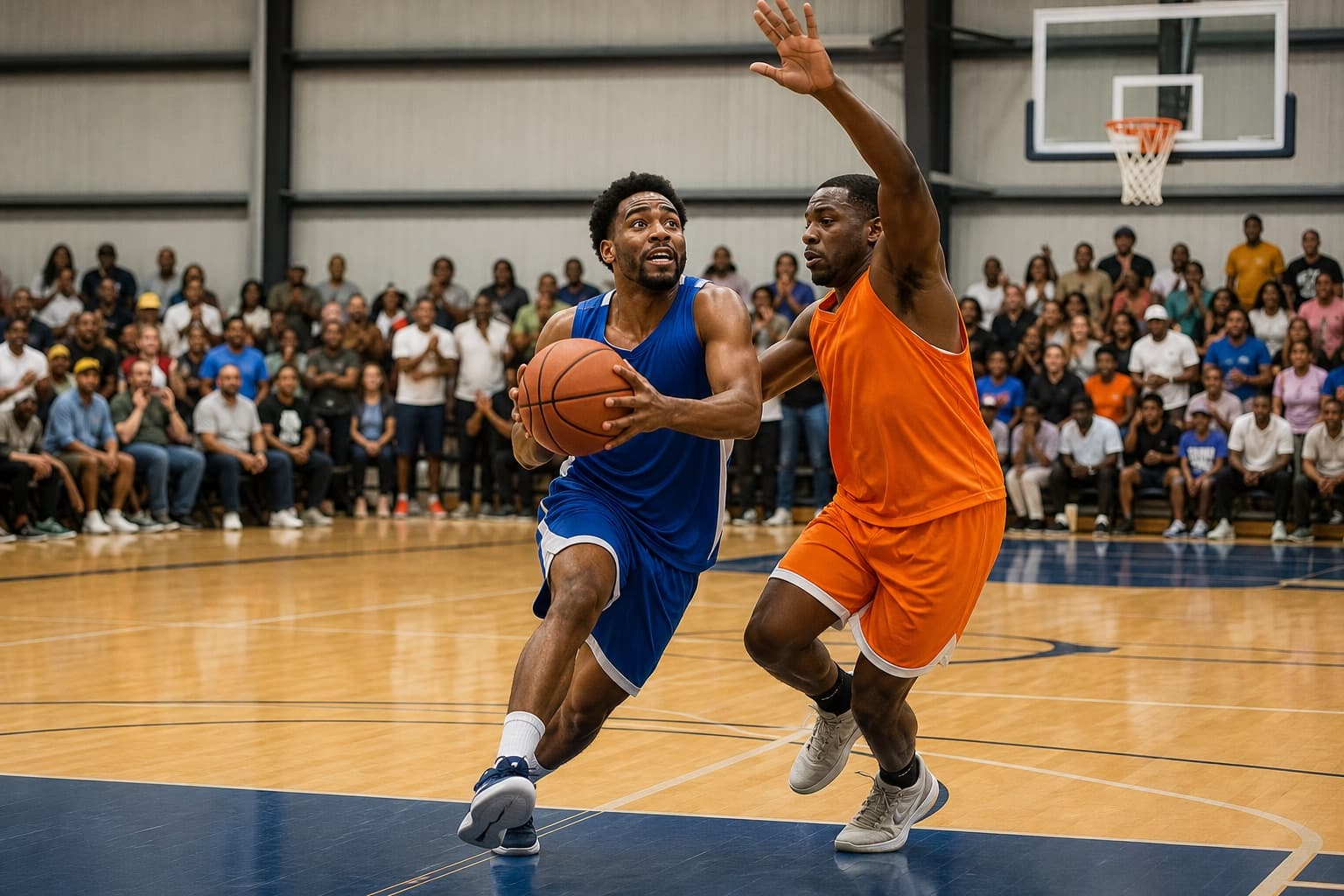
The previews in this guide use fictional people, teams, and sample photos. They show how game action, celebrations, and community moments can look in Highlights and Feeds.
Before you post
- Organization Owners, Admins, and Staff can manage league Highlights.
- A scoped team manager cannot manage Highlights.
- The organization needs active management access to create, edit, or publish a post.
- Prepare one JPEG, PNG, or WebP photo that is no larger than 5 MiB.
- Decide whether the league should be public or private before choosing a public audience.
Create a Highlight
Open the league Highlights workspace
Open the league inside the signed-in app, then open Highlights.
The page shows the league photo stream, the visibility state of each post, and the composer when management access is active.
Start a post
Select the photo composer or Photo. Add one supported image and an optional caption.
Create post
Summer Cup 2026
Metro Community League · Posting as Metro Community League

Add to your post
JPEG, PNG, or WebP · up to 5 MiB
Choose where the post appears
For a public league, choose one of the current destinations:
Highlights onlypublishes the post on the league's Highlights page.Highlights + Feedspublishes it on the league page and in the signed-in global feed.
A post created directly from Feeds requires choosing a manageable public league and is published to both destinations.
Publish the photo
Review the image, caption, league, and audience, then publish the post.
LeagueFlow shows the new post at the top of the relevant newest-first stream.
Public and private league behavior
Public leagues can publish a post to Highlights only or Highlights + Feeds.
Private leagues cannot publish to a public Highlights page or Feeds. A new private-league photo starts in Review required; an organizer can also keep it Private only.
Changing league visibility does not automatically make old photos public:
- When a public league becomes private, its published posts return to
Review required, leave Feeds, and disappear from the public Highlights page. - When a private league becomes public, staff must review each photo and choose its public destination.
Manage a published post
Post actions depend on its current state. An authorized organizer may be able to:
- edit the caption
- publish to Highlights
- add the post to Feeds
- remove it from Feeds while keeping it in Highlights
- keep it private
- delete it
The current edit flow changes the caption, not the photo. Create a new post when the image itself needs to change.
If an organization becomes view-only, users cannot create, edit, or publish content. Safety actions remain available where applicable, including keeping a post private, removing it from Feeds, deleting it, and removing a comment.
Likes and comments
Signed-in users can like and comment on a post where engagement is available. Comment authors can edit or delete their own comments. Owners, Admins, and Staff can remove comments from leagues they manage, but they cannot rewrite another person's comment.
Comments can contain up to 1,000 characters. Long comments can be expanded with See more and collapsed with See less.
Public Highlights and Feeds expose public engagement. The organizer workspace can also retain member-only context that does not appear to public visitors.
League photos
Highlights
Photos and moments shared by the league organizers.
Summer Cup 2026
Metro Community League
Champions together. Thank you to every player, volunteer, and supporter who made this season special.
Sign in to join the conversation.
Maya Santos
Congratulations, everyone! What a finish to the season.
1h
Jordan Lee
The team earned this. Thanks for sharing the moment!
38m
Use Feeds
Feeds is available to signed-in users. It shows posts that organizers deliberately distribute as Highlights + Feeds; it is not a personalized or ranked recommendation stream.
Owners, Admins, and Staff can also start a post from Feeds. They must select a manageable public league before composing the photo.
Feeds
Official photos and moments shared by leagues across LeagueFlow.
Harbor City Rec League
Harbor City Sports
Good competition, great sportsmanship, and high fives all around.

Alex Rivera
Love seeing both teams celebrate good sportsmanship.
22m
Sam Torres
This is what community basketball is all about. 👏
11m
Summer Cup 2026
Metro Community League
One more look at the drive that brought the crowd to its feet.
Current limits
- One photo per post.
- No video, stories, reposts, or people and team tagging.
- No automatic publication when a league becomes public.
- No personalized ranking.
- The public league overview does not include a Highlights preview; visitors open the dedicated Highlights section.
Related guides
Need more help?
Signed-in LeagueFlow users can send a help request, bug report, or feature request from the support workspace.